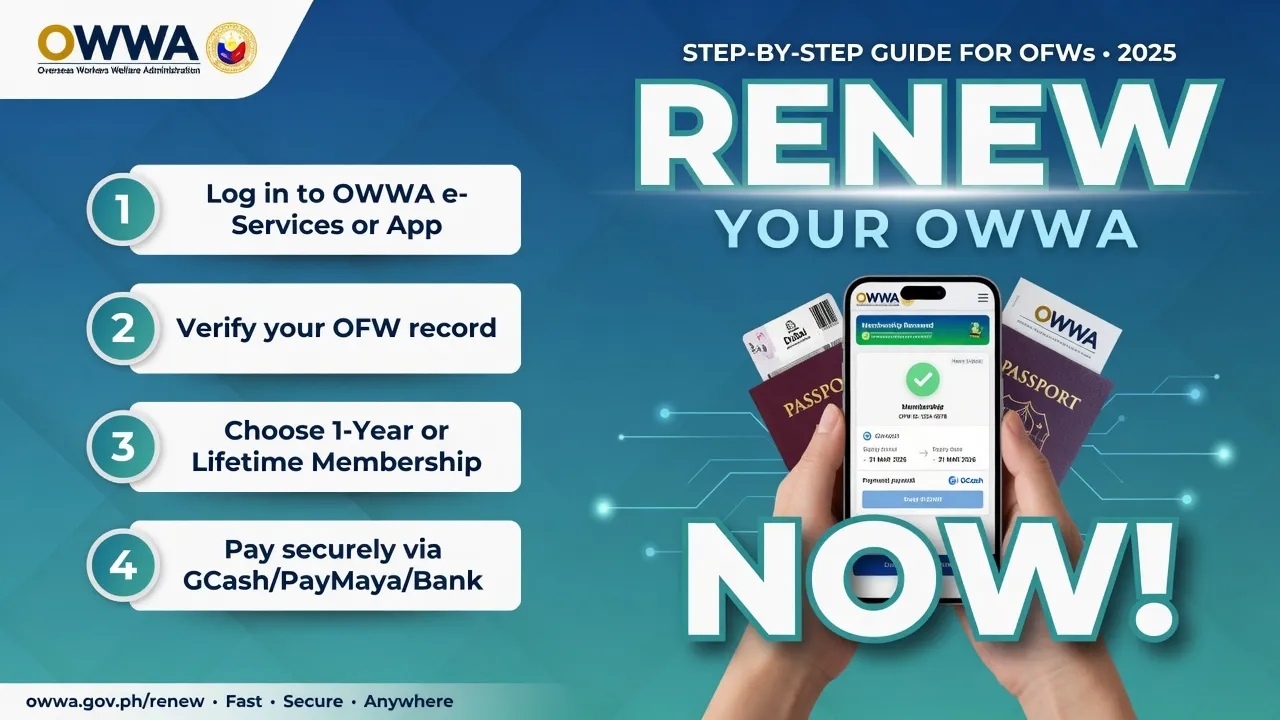
How to Renew OWWA Membership Online (Step-by-Step Guide for OFWs)
If you are an Overseas Filipino Worker (OFW), keeping your OWWA membership active is very important. Learning how to renew OWWA membership online ensures that you continue receiving welfare benefits, insurance coverage, and government assistance without interruption.
The good news is that the OWWA membership renewal process is now simple, fast, and accessible worldwide through the official website, mobile app, or physical OWWA offices.
This guide explains everything about how to renew OWWA membership online, including requirements, fees, step-by-step methods, and common problems you may face.
Reference guide: https://arabianauracentral.com/how-to-renew-owwa-membership-online/
What Is OWWA?
The Overseas Workers Welfare Administration (OWWA) is a government agency in the Philippines that protects and supports OFWs worldwide.
It provides:
- Insurance coverage
- Welfare assistance
- Training programs
- Financial and legal support
Your OWWA membership is valid for two years, and renewing it ensures uninterrupted access to these benefits.
Why You Should Renew Your OWWA Membership
Understanding how to renew OWWA membership online is important because it ensures:
- Continuous insurance and welfare protection
- Access to OWWA programs and benefits
- Eligibility for emergency assistance and repatriation
- Legal and government support while working abroad
If your membership expires, you may lose access to important services.
Requirements for OWWA Membership Renewal
Before starting the OWWA membership renewal online process, prepare the following:
- Valid passport with updated visa/work permit
- Proof of employment (contract or certificate of employment)
- Active email address
- Payment method (card or online banking)
- Previous OWWA membership details or OWWA ID number
Having these ready will make the process faster and smoother.
How Much Is OWWA Membership Renewal Fee?
The standard fee for OWWA membership renewal is:
- PHP 500 for 2 years validity
Important notes:
- Membership is valid for 24 months
- Payment is non-refundable
- Keep your receipt as proof of renewal
How to Renew OWWA Membership Online (Step-by-Step)
There are three main ways to complete how to renew OWWA membership online:
1. Renew OWWA Membership via Official Website
Follow these steps:
Step 1: Visit Official Website
Go to the official OWWA portal: https://www.owwa.gov.ph
Step 2: Log In to Your Account
- Enter your registered email and password
- Use “Forgot Password” if needed
Step 3: Go to Membership Renewal
- Click “Membership Renewal”
- Select “Renew Now”
Step 4: Fill Out Form
- Update personal details
- Upload required documents
Step 5: Pay Fee
- Pay PHP 500 using online banking or card
Step 6: Receive Confirmation
- Check email for receipt and confirmation
2. Renew OWWA Membership via Mobile App
You can also complete OWWA membership renewal online using the official app:
Steps:
- Download the OWWA app (Google Play or App Store)
- Log in with your account
- Select “Membership Renewal”
- Upload documents
- Pay online securely
- Receive confirmation email
This is the most convenient option for OFWs abroad.

3. Renew OWWA Membership at OWWA Office
If you prefer offline renewal:
Steps:
- Visit nearest OWWA office
- Fill out renewal form
- Submit documents
- Pay at counter
- Receive printed receipt
Informational Table: OWWA Membership Renewal Overview
| Method | Platform | Processing Time | Payment Method | Best For |
|---|---|---|---|---|
| Website Renewal | OWWA official website | 10–30 minutes | Online banking/card | OFWs with internet access |
| Mobile App Renewal | OWWA mobile app | 10–20 minutes | Digital payment | Fast and mobile users |
| Office Renewal | OWWA branch office | 1–2 hours | Cash/payment counter | Users without internet |
Common Problems and Solutions
When learning how to renew OWWA membership online, you may face issues:
1. Website or App Not Loading
- Clear browser cache
- Use updated browser or app
2. Payment Failure
- Check card limit
- Try another payment method
3. Account Not Found
- Ensure correct email and OWWA ID
4. No Confirmation Email
- Check spam folder
- Contact OWWA support
Online vs Offline OWWA Renewal
Online Renewal Benefits:
- Faster process
- No need to visit office
- Available worldwide
- Instant confirmation
Offline Renewal Benefits:
- Personal assistance
- Suitable for document issues
- Useful for first-time users
For most OFWs, how to renew OWWA membership online is the best option.
Is OWWA Online Renewal Safe?
Yes, it is safe if you use official platforms:
- Only use https://www.owwa.gov.ph
- Avoid third-party agents
- Always keep receipts
The system uses secure payment gateways to protect user data.
Who Should Renew OWWA Membership?
You should renew if:
- Your membership is expired or near expiry
- You are currently working as an OFW
- You want to access OWWA benefits and programs
- You need insurance or repatriation support
Early renewal ensures uninterrupted coverage.
Final Thoughts
Understanding how to renew OWWA membership online is essential for every OFW who wants to stay protected while working abroad. The process is now simple through the website, mobile app, or OWWA offices.
By following the correct steps, preparing your documents, and paying the official fee, you can renew your membership quickly and securely.
Always ensure your OWWA membership is active to continue enjoying full government support and benefits.