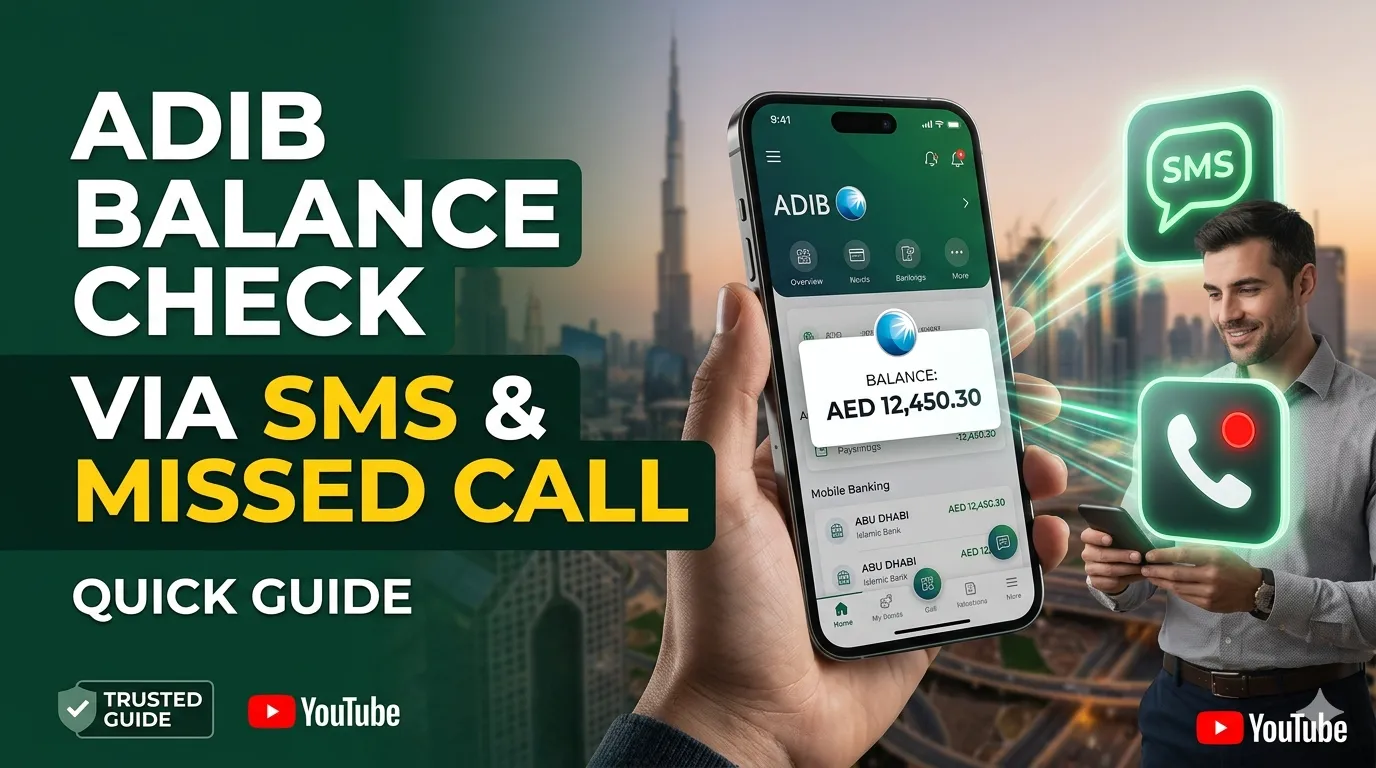
ADIB Balance Check via SMS & Missed Call – Quick Guide
Not everyone wants to download apps or sit at a computer to check their bank balance. Not everyone has reliable internet access. Not everyone prefers typing passwords and navigating menus.
That’s where SMS and missed call banking comes in.
ADIB understands this reality. That’s why they offer balance checking through simple text messages and a clever missed call system. No app needed. No login required. No internet connection necessary.
In this guide, you’ll discover:
- Exactly how to check balance via SMS
- The missed call balance service
- Which codes to use
- Complete step-by-step instructions
- How to set everything up
- When and why to use these methods
These methods work on literally any mobile phone—even basic phones from years ago. If your phone can send and receive text messages, you can check your balance instantly.
Let’s get started!
Why Use SMS Banking for Balance Checking
You might wonder why anyone would use SMS when mobile apps exist. The answer is simple: not everyone has the same needs.
No Internet Required
This is the single biggest advantage of SMS banking:
- ✅ Works without WiFi
- ✅ Works without mobile data
- ✅ Works with just phone signal
- ✅ Works in areas with poor connectivity
- ✅ Works when you’ve run out of data
Many people in the UAE still experience spotty internet in certain locations. SMS signal is far more reliable in remote areas.
Works on Any Mobile Phone
Your phone doesn’t need to be fancy:
- ✅ Works on basic phones
- ✅ Works on old phones
- ✅ No smartphone required
- ✅ No app installation
- ✅ No storage space needed
Some people deliberately keep their phones simple. Some elderly customers prefer avoiding technology. SMS banking serves them perfectly.
Incredibly Fast Response
Speed matters when you need information urgently:
- ✅ Response arrives within 30 seconds usually
- ✅ Sometimes within 10 seconds
- ✅ Never takes more than 2 minutes
- ✅ Much faster than visiting an ATM
- ✅ Faster than some app loads
Private and Discreet
Your banking stays between you and ADIB:
- ✅ SMS is confidential
- ✅ Others can’t see what you’re checking
- ✅ No one notices you accessing banking
- ✅ Good for security-minded people
- ✅ More discrete than using an app
Completely Free from ADIB
Here’s the financial benefit:
- ✅ ADIB charges zero dirhams
- ✅ No registration fees
- ✅ No monthly charges
- ✅ No per-message charges
- ✅ Completely complimentary service
Your telecom provider (Etisalat or du) might charge you standard SMS rates, but ADIB doesn’t charge anything.
Perfect Backup When Other Methods Fail
When technology fails, SMS often still works:
- ✅ Mobile app crashes? SMS works
- ✅ Website is down? SMS works
- ✅ Internet cuts out? SMS works
- ✅ Always a reliable backup
- ✅ Peace of mind knowing you have options
SMS Balance Check Setup: Getting Ready
Before you can use SMS banking, you need to set it up. The process is straightforward and takes minimal time.
What You’ll Need
Gather these items before visiting:
- ✅ Your ADIB customer ID (on your card or statement)
- ✅ Your registered mobile number with ADIB
- ✅ Your Emirates ID
- ✅ Your ADIB card
- ✅ 10-15 minutes of your time
Registration at ADIB Branch
Step 1: Visit Your Nearest Branch
Find any ADIB branch in the UAE during business hours. Most locations are open Saturday through Thursday, usually 8 AM to 6 PM.
Step 2: Speak with Customer Service
Go to the main desk and tell them: “I’d like to activate SMS balance inquiry” or “Please enable SMS banking for me.”
Staff understand this request immediately. They handle it daily.
Step 3: Provide Required Information
The staff member will ask for:
- Your customer ID number
- Your registered mobile number
- Your identification (Emirates ID)
- Your ADIB card (to scan)
Make absolutely sure your mobile number is correct. If it’s outdated, SMS won’t reach you.
Step 4: Verification Process
Staff will verify:
- Your identity matches records
- Your account is in good standing
- Your mobile number is correct
- Everything checks out
This takes 5-10 minutes usually.
Step 5: Service Activation
The staff activates SMS banking. You’ll typically:
- Get written confirmation
- Receive an SMS confirmation within minutes
- Be told to wait 24 hours (though it usually works immediately)
- Get the balance inquiry code explained
Step 6: Test It While There
Ask the staff: “Can I send a test message now?” This confirms everything works before you leave.
Alternative: ATM Registration
Some ADIB ATMs allow SMS service registration:
- Insert your card at any ADIB ATM
- Look for “Services” or “SMS Banking” menu
- Follow the on-screen prompts
- Confirm your phone number
- Wait for confirmation SMS
- Done
Note: Not all ATMs offer this feature. Ask your branch which ATMs support SMS registration.
Online Registration Option
Check if available in your online banking:
- Login to ADIB online banking
- Look for “SMS Services” section
- Click to register for SMS balance inquiry
- Confirm your phone number
- Activation may be automatic
Availability: This varies. If your online banking doesn’t show this option, the branch method is reliable.
ADIB SMS Codes: Essential Information
ADIB uses specific codes for different services. The most important one is for balance checking.
The Balance Inquiry Code
Send to: 4666 (ADIB short code)
Message: BALANCE
That’s truly all it is. Just these seven letters.
How the Process Works
- Open your SMS app
- Create a new message
- Type: BALANCE
- Send to: 4666
- Within 30 seconds, you receive your balance
- Done!
What Response Looks Like
You’ll receive an SMS similar to this:
Dear Customer,
Your Account Balance is: AED 24,750.50
Available Balance: AED 24,200.00
Account: xxxxx5678
Thank you for banking with ADIB
This tells you everything you need:
- Current balance (total in account)
- Available balance (what you can spend)
- Last 4 digits of your account
- ADIB thanks you for being a customer
Alternative Codes to Try
If BALANCE doesn’t work for some reason, try:
| Code | What It Does |
|---|---|
| BALANCE | Account balance (primary code) |
| BAL | Short form (sometimes works) |
| MINI | Mini statement (recent transactions) |
| CHECK | Balance check (occasionally) |
Start with BALANCE. If that doesn’t work, try the others. But BALANCE is the standard code.
How to Check Balance via SMS: Step-by-Step Instructions
Let’s walk through the complete process so you do it correctly.
Step 1: Open Messages Application
On your phone, find and open:
- SMS app
- Messages app
- Text messages
- Or whatever your phone calls it
You’ll see a list of your previous messages (or empty if you have none).
Step 2: Create New Message
Look for a button or option that says:
- “New Message”
- “Compose”
- “New SMS”
- Or a + icon
Tap it. A blank message screen appears.
Step 3: Type Your Message
In the message body, type exactly:
BALANCE
Rules:
- Use CAPITAL letters
- No spaces before or after
- No extra words
- Just those seven letters
- Nothing else
Correct examples:
- BALANCE ✅
Incorrect examples:
- balance (lowercase) ❌
- Check balance (extra words) ❌
- BALANCE CHECK (extra words) ❌
- BALANCE (space before) ❌
Step 4: Enter Recipient Number
Click in the “To” or “Number” field and type:
4666
Just those four digits. This is ADIB’s short code.
Verify:
- ✅ To: 4666
- ✅ Message: BALANCE
- ✅ Nothing else
Step 5: Review Before Sending
Take 5 seconds to verify:
- Message says “BALANCE”
- Number is “4666”
- No typos
- Everything correct
This prevents mistakes.
Step 6: Send the Message
Tap the Send button (usually green). You’ll see:
- “Message sent” confirmation
- Message appears in your sent folder
- Timer starts
Step 7: Wait for Response
Be patient. Within 30 seconds, you’ll receive an SMS from 4666 with your balance.
Important notes:
- Response usually arrives within 30 seconds
- Sometimes takes up to 2 minutes
- Check your inbox (not spam folder)
- Phone must have good signal
- Make sure you have SMS receiving enabled
Step 8: Read Your Balance
Open the SMS from 4666 and read:
- Your current balance
- Your available balance
- Your account number (last digits)
- You now know exactly how much money you have
Congratulations! You’ve successfully checked your balance via SMS.
Understanding Your SMS Response
The SMS you receive contains important information. Let’s break down what each line means.
Current Balance vs Available Balance
Current Balance: AED 24,750.50
This is your total account balance. It includes everything—cleared funds and pending transactions.
Available Balance: AED 24,200.00
This is the money you can actually spend right now. It excludes pending transactions, holds, and uncleared checks.
The Difference: AED 550.50
This difference exists because:
- A check hasn’t cleared yet
- A transfer is pending
- An authorization hold from a card purchase
- A bill payment is processing
- Some other pending transaction
Which number to use:
Always use the Available Balance for your spending decisions. This number is safe. You won’t accidentally overdraw.
Account Number in SMS
The SMS shows: “Account: xxxxx5678”
This displays the last 4-5 digits of your account. Why?
- Confirms you checked the right account
- Useful if you have multiple accounts
- Verifies which account showed the balance
- Privacy protection (doesn’t show full number)
If you have multiple ADIB accounts, this tells you which one the balance belongs to.
Missed Call Balance Service: The Clever Alternative
Here’s something brilliant: ADIB offers balance checking through a missed call.
You literally don’t even send a message. You just call a number and hang up.
How Missed Call Works
The process is incredibly simple:
- Call the ADIB missed call number
- Let it ring 1-2 times
- Hang up immediately
- Receive SMS with your balance in 1-2 minutes
That’s literally the entire process.
Why This Is Useful
Advantages:
- ✅ No typing required
- ✅ No message to compose
- ✅ Just a phone call
- ✅ Completely free (call costs nothing)
- ✅ Faster than finding the SMS app
- ✅ Good for people with arthritis or mobility issues
- ✅ Easy for elderly customers
- ✅ Works even if keyboard is broken
Finding the Missed Call Number
The specific number varies. ADIB hasn’t published a single missed call number that works everywhere. Here’s how to find yours:
Option 1: Check Your Documents
- Look in your ADIB welcome kit
- Check your account statements
- Might be listed there
Option 2: Call ADIB Customer Service
- Call +971 2 678 5555
- Ask: “What’s the missed call number for balance checking?”
- Staff provides the correct number
- Write it down
Option 3: Visit a Branch
- Ask staff directly
- They confirm the number
- Takes 30 seconds
Option 4: Check ADIB Website
- Visit www.adib.ae
- Look for “SMS Services” or “Balance Inquiry”
- Number might be listed there
Missed Call Process: Complete Steps
Step 1: Find the Number
First, make sure you have the correct missed call number. Write it down or memorize it.
Step 2: Open Phone Dialer
On your phone, tap the Phone icon or Dialer app. Like you’re making a regular call.
Step 3: Enter the Number
Type the missed call number that ADIB gave you. Check for typos. Make sure it’s correct.
Step 4: Press Call
Tap the green call button. The call connects.
Step 5: Wait 1-2 Rings
You’ll hear the phone ringing. Let it ring once or twice. You won’t hear anyone answer.
Step 6: Hang Up
After 1-2 rings, tap the red Hang Up button. Don’t wait for someone to answer. Don’t feel rude—this is how the service works.
The call disconnects immediately.
Step 7: Wait for SMS
Within 1-2 minutes, check your SMS inbox. Your balance SMS arrives from ADIB.
Step 8: Read Your Balance
The SMS shows the same information as the regular SMS method:
- Current balance
- Available balance
- Account number
- Done!
Why Missed Call Works This Way
Behind the scenes:
ADIB’s system:
- Recognizes your phone number
- Identifies you as an ADIB customer
- Sends your balance SMS automatically
- Never actually connects the call
It’s a clever system that works even on phones from 20 years ago.
Other SMS Banking Services Available
Beyond balance checking, ADIB may offer other SMS services.
Mini Statement Service
Code: MINI or STATEMENT
What it does:
- Shows your last 5-10 transactions
- More detailed than just balance
- Includes deposits and withdrawals
- Helps you remember recent spending
- Better picture of account activity
How to use:
- Send “MINI” to 4666
- Receive SMS with recent transactions
- Shows dates, amounts, descriptions
- Read where your money went
Card Status Service
Some banks offer card-related SMS codes:
Possible codes:
- BLOCK (block your card if lost)
- UNBLOCK (unblock your card)
- STATUS (check card status)
Check with ADIB whether these work. Availability varies.
Transaction Confirmation
Some customers get SMS confirmation whenever:
- Money is deposited
- Bill payment processes
- Card is used
- Large transaction occurs
This helps detect fraud immediately.
Availability Note
Not all services available to all customers:
- Depends on your account type
- Depends on your registration level
- Some require special enrollment
- Ask ADIB about available codes
Best approach:
Test BALANCE first (it always works). Ask ADIB support about other available codes.
SMS Banking Codes Complete Reference
Here’s a complete reference of balance inquiry codes:
| Code | Service | Send To | Response Time |
|---|---|---|---|
| BALANCE | Account balance | 4666 | 30 seconds |
| BAL | Short form balance | 4666 | 30 seconds |
| MINI | Mini statement | 4666 | 30 seconds |
| HELP | List services | 4666 | 30 seconds |
Important note: Codes may change or vary. Always verify current codes with ADIB.
Charges and Costs: Is SMS Banking Free?
Here’s the important financial information.
ADIB’s Charges
The bank charges:
✅ ZERO dirhams
ADIB doesn’t charge for:
- Registering for SMS banking
- Checking balance
- Receiving SMS responses
- Monthly fees
- Per-message fees
SMS banking is completely free from ADIB’s side.

Your Telecom Provider’s Charges
Your phone company might charge:
If you have unlimited SMS plan:
- ✅ No cost at all
- ✅ SMS included in your plan
- ✅ Balance checking is free
- ✅ This is ideal
Most modern UAE plans include unlimited SMS.
If you have limited SMS (older plans):
- Sending message: ~20-50 fils
- Receiving response: ~20-50 fils
- Total cost per balance check: ~40-100 fils
- Less than one dirham
- Very cheap
If you’re on pay-as-you-go:
- Each SMS costs money
- Rates depend on your plan
- Usually 15-50 fils per SMS
- Contact Etisalat or du for your specific rates
Cost-Saving Tips
1. Get Unlimited SMS
- Most plans now include unlimited SMS
- Contact your telecom provider
- Costs nothing extra usually
- Eliminates SMS charges
2. Use Missed Call Instead
- Missed call: free or cheap to send
- SMS response: one SMS charge
- Total cost: roughly half of SMS method
- Saves money if charged per SMS
3. Check During Off-Peak
- Some plans have free SMS times
- Usually late night or early morning
- Check your plan details
- Bank during free times
Bottom Line
For most people: SMS banking is completely free.
For others: Cost is negligible (less than a dirham per check).
Activation and Registration: Detailed Process
Let’s detail the registration process thoroughly.
At ADIB Branch
Step 1: Visit Any ADIB Branch
Find your nearest branch. All branches offer SMS banking registration.
Step 2: Tell Staff What You Need
Approach the counter and say:
- “I want to activate SMS balance inquiry”
- “Can you enable SMS banking for me?”
- “I’d like to check my balance via text message”
Staff understand immediately.
Step 3: Provide Your Details
Staff will ask for:
- Your customer ID
- Your registered mobile number
- Your Emirates ID or passport
- Your ADIB card (they’ll scan it)
Verify your phone number is correct. SMS won’t work with a wrong number.
Step 4: Verification
Staff verify:
- Your identity matches records
- Your account is active
- Your phone number is current
- Everything is correct
Takes about 5-10 minutes.
Step 5: Service Activation
Staff activates SMS banking. You receive:
- Written confirmation
- SMS confirmation (usually)
- Instruction on which code to use
- Information about the service
Step 6: Test It
Ask: “Can I send a test message now?” This confirms it works before you leave.
Alternative Methods
At ADIB ATM:
Some ATMs allow SMS registration through the menu. Takes 2-3 minutes.
Online (if available):
Login to online banking and look for SMS services setup. May not be available for all customers.
Timeline
Service activation timing:
- Immediate: Usually works right away
- Within 24 hours: Worst-case scenario
- Confirmation: You’ll know when first SMS arrives
- Ready to use: Send your first test SMS
When to Use SMS Banking: Best Scenarios
SMS banking isn’t always the best choice. Here are ideal situations.
Perfect For:
1. No Internet Available
- You’re in area with no WiFi
- No mobile data available
- Only SMS signal
- SMS is your only option
2. Quick Balance Check
- Need balance in seconds
- Don’t want to open apps
- Don’t want website login
- Just need the number
3. Basic Phone Users
- Using old/basic phone
- No smartphone available
- Don’t want apps
- Simple SMS is familiar
4. Privacy Preference
- Don’t want apps on phone
- Don’t trust websites
- Prefer not storing passwords
- Want discrete banking
5. International Travel
- Traveling outside UAE
- SMS works internationally
- Roaming includes SMS usually
- Data roaming expensive
6. Technology Backup
- App isn’t working
- Website is down
- Need balance desperately
- SMS is reliable backup
Not Ideal For:
1. Detailed Analysis
- Want to see all transactions
- Need full spending analysis
- Want detailed statements
- SMS shows only summary
2. Making Transfers
- Need to send money
- Need to pay bills
- SMS is read-only
- Use app or website instead
3. Frequent Checking
- Check balance many times daily
- SMS charges add up
- App is better for frequent use
- No per-check costs with app
SMS Banking Security: Protecting Your Account
SMS banking is secure, but understanding the details matters.
Security of SMS
Why SMS is relatively safe:
✅ SMS is encrypted on the network
✅ Only you receive your balance
✅ Bank sends limited information
✅ No password exposed
✅ No sensitive data shared
What SMS Doesn’t Include
Security advantage:
❌ No password required
❌ No PIN needed
❌ No OTP code sent
❌ Just balance information
❌ Minimal data exchange
You never enter passwords. ADIB recognizes your phone number automatically.
Security Best Practices
When using SMS:
- Keep responses private
- Don’t screenshot and share
- Don’t show people your balance
- Keep SMS confidential
- It’s personal information
- Protect your phone
- Use PIN lock
- Don’t give phone to others
- Delete old SMS if worried
- Keep phone secure
- Watch for phishing
- ADIB won’t ask for password via SMS
- ADIB won’t ask for PIN via SMS
- Never reply with personal information
- Delete suspicious SMS
- Monitor your account
- Check balance regularly
- Watch for unauthorized activity
- Review transactions
- Report anything suspicious
Troubleshooting SMS Banking Issues
Sometimes things don’t work perfectly. Here are solutions.
SMS Won’t Send
Problem: Message doesn’t go out
Solutions:
- Check phone signal
- Need at least 2 signal bars
- Move to different location
- Try again with better signal
- Check message content
- Type only: BALANCE
- Use capital letters
- No extra words
- Check recipient number
- Must be: 4666
- No other number
- Just four digits
No Response Received
Problem: Message sends but no reply
Solutions:
- Wait longer
- Response takes 30 seconds to 2 minutes
- Check spam folder (rare)
- Wait up to 5 minutes
- Verify service is active
- May not be registered
- Visit branch to confirm
- Re-register if needed
- Check your phone number
- Make sure ADIB has correct number
- If changed, update at branch
- Try again after update
- Try later
- Sometimes service is busy
- Retry after 1 hour
- Try during off-peak hours
- Contact ADIB
- Call +971 2 678 5555
- Explain issue
- They help troubleshoot
Comparison: SMS vs Other Balance Check Methods
Let’s compare SMS to other options:
| Method | Speed | Cost | Internet | 24/7 | Best For |
|---|---|---|---|---|---|
| SMS | 30 sec | Free* | No | Yes | No internet |
| Missed Call | 1-2 min | Free* | No | Yes | Basic phones |
| Mobile App | 5 sec | Free | Yes | Yes | Quick checks |
| Website | 15 sec | Free | Yes | Yes | Detail review |
| ATM | 2 min | Free | No | Yes | Physical card |
| Phone Banking | 5 min | Free* | No | Yes | Voice preference |
*Free from ADIB; telecom may charge SMS rates
For Different User Types
SMS banking works particularly well for specific groups.
For Elderly Users
Why SMS works great:
- ✅ Simple like regular texting
- ✅ No apps to learn
- ✅ No complicated passwords
- ✅ Works on old phones
- ✅ Familiar method
For People Without Smartphones
Why SMS is perfect:
- ✅ Works on basic phones
- ✅ No app store needed
- ✅ No storage space required
- ✅ Any phone with SMS works
For International Travelers
Why SMS helps abroad:
- ✅ Works from outside UAE
- ✅ Roaming includes SMS
- ✅ No data plan needed
- ✅ Works in any country
For Budget-Conscious Users
Why SMS saves money:
- ✅ No internet bill
- ✅ No premium services
- ✅ Old phone still works
- ✅ Completely free from bank
ADIB Support Numbers and Resources
Need help? Here’s how to reach ADIB.
Main Customer Service
Phone: +971 2 678 5555
Available: 24/7, every day
Languages: Arabic and English
Help with:
- SMS registration
- SMS troubleshooting
- Balance inquiry help
- Service activation
- General questions
Online Help
Website: www.adib.ae
Help available:
- FAQs about SMS
- Service details
- Branch locations
- Contact information
Branch Visit
For registration:
- Visit any ADIB branch
- Ask about SMS banking
- Staff activates service
- Takes 5-10 minutes
Frequently Asked Questions
FAQ 1: Is SMS Balance Checking Free?
Answer:
From ADIB: Yes, completely free.
From your telecom: Depends on your plan.
- Unlimited SMS plan: free
- Limited SMS: ~50 fils per check
- Pay-as-you-go: charges apply
Most people: Pay nothing.
FAQ 2: How Fast Is the Response?
Answer:
SMS method: 30 seconds typically, up to 2 minutes
Missed call: 1-2 minutes
Factors affecting speed:
- Network congestion
- Time of day
- System load
FAQ 3: Can I Check Multiple Accounts?
Answer:
First SMS: Shows main account
Other accounts: Harder to access via SMS
Better option: Use app or website for multiple accounts
FAQ 4: What if SMS Doesn’t Arrive?
Answer:
- Check service is registered
- Wait up to 5 minutes
- Verify correct phone number
- Try again later
- Contact ADIB support
FAQ 5: Is My Balance Information Secure?
Answer:
Yes, very secure:
- Only you receive SMS
- No password in message
- Limited data exposed
- Encrypted transmission
FAQ 6: Can I Transfer Money via SMS?
Answer:
No, SMS is read-only:
- Can check balance
- Can’t make transfers
- Can’t pay bills
- Can’t make transactions
Use app or website for transactions.
FAQ 7: Does SMS Work Internationally?
Answer:
Yes, usually works abroad:
- Roaming must be enabled
- SMS roaming must be active
- Check roaming rates with telecom
- SMS usually works where voice works
FAQ 8: What if I Changed My Phone Number?
Answer:
SMS won’t work with new number:
- Update phone with ADIB
- Visit branch with ID
- Takes 5 minutes
- SMS then works with new number
- Can take up to 24 hours to activate
FAQ 9: Can I Unregister from SMS Banking?
Answer:
Yes, anytime:
- Visit ADIB branch
- Ask to disable SMS banking
- Takes 5 minutes
- Service disabled
Can re-enable later if needed.
FAQ 10: What Are ADIB’s Operating Hours for SMS?
Answer:
SMS works 24/7/365:
- Every day, all day
- Weekends included
- Holidays included
- Midnight to midnight
- Always available
Conclusion: Your Complete SMS Banking Guide
You now understand everything about checking your ADIB balance via SMS and missed call.
What You’ve Learned
✅ Why SMS banking is valuable
✅ How to register for the service
✅ Exact codes to use (BALANCE to 4666)
✅ Complete step-by-step instructions
✅ How to use missed call service
✅ Understanding your balance response
✅ Other SMS services available
✅ Complete fee information
✅ Security considerations
✅ Troubleshooting solutions
✅ When to use SMS vs other methods
✅ Answers to common questions
Quick Reference Guide
Remember These:
| Item | Details |
|---|---|
| Code | BALANCE |
| Send To | 4666 |
| Response Time | 30 seconds |
| Cost from ADIB | Free |
| Available | 24/7 |
| Phone Required | Any phone with SMS |
For Missed Call:
| Item | Details |
|---|---|
| Action | Call missed call number |
| Duration | Let ring 1-2 times |
| Then | Hang up |
| Response Time | 1-2 minutes |
| Cost | Free or minimal |
Getting Started Today
- Register for SMS banking (if not done)
- Visit ADIB branch
- Takes 10 minutes
- Very straightforward
- Test the service
- Send BALANCE to 4666
- Verify you receive response
- Confirm it works
- Save the code
- Remember: BALANCE and 4666
- Or save in phone contacts
- Easy reference next time
- Use regularly
- Check balance anytime
- Perfect backup method
- Reliable when needed
Contact ADIB
For any questions:
- Phone: +971 2 678 5555
- Website: www.adib.ae
- Hours: 24/7 customer service
- Languages: English & Arabic
Related Articles Worth Reading
- ADIB Balance Check – 7 Easy Ways to Check Account Balance (2026)
- Complete guide to all balance checking methods
- ADIB Mobile App Balance Check – Complete Step-by-Step Tutorial 2026
- Detailed mobile app guide
- ADIB Online Banking Balance Check – Complete Web Banking Guide 2026
- Website banking complete tutorial
- ADIB ATM Balance Check – How to Check at Any UAE ATM
- ATM balance checking guide
- SMS Banking Security: Protect Your Account
- Advanced security topics